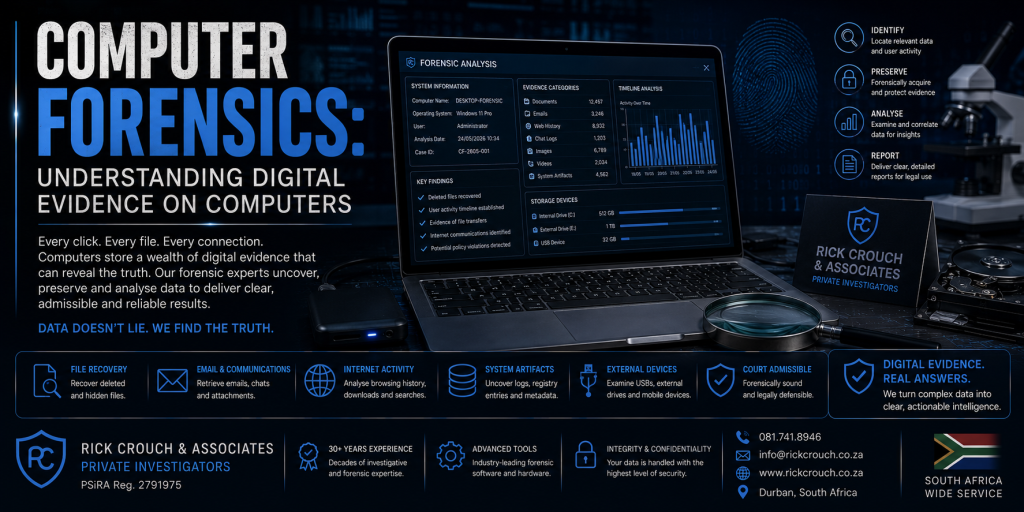
Computer Forensics: Understanding Digital Evidence on Computers. Computers remain one of the richest sources of digital evidence in modern investigations.
Whether used for business, personal communication or financial transactions, desktop computers and laptops often contain thousands of files, emails, internet records and application data that may be relevant to civil, criminal and corporate investigations.
Computer forensics is the scientific process of identifying, preserving, examining and analysing digital evidence stored on computer systems while maintaining the integrity of that evidence.
What Is Computer Forensics?
Computer forensics involves examining computers using recognised forensic methodologies to identify information relevant to an investigation.
The objective is to preserve original evidence while conducting detailed analysis on forensic copies wherever possible.
Professional forensic examinations document both the process followed and the findings identified during the investigation.
Types of Computers We Examine
Our forensic services include examinations of:
Desktop Computers
- Windows
- macOS
- Linux
Laptop Computers
- Windows Laptops
- Apple MacBooks
- Business Workstations
- Rugged Computers
Storage Devices
- External Hard Drives
- Solid State Drives (SSD)
- USB Flash Drives
- Memory Cards
- Network Storage Devices (where applicable)
What Evidence Can Be Found?
Depending on the device and the circumstances of the investigation, a forensic examination may identify:
User Documents
- Word Documents
- PDF Files
- Excel Spreadsheets
- Presentations
- Notes
- Reports
Information may include:
- Email Messages
- Attachments
- Contacts
- Calendars
- Deleted Items (where available)
Internet Activity
A forensic examination may identify:
- Browser History
- Downloads
- Search History
- Saved Passwords (where accessible)
- Cookies
- Cached Files
- Bookmarks
Photographs and Videos
Computers often contain:
- Images
- Videos
- Metadata
- Edited Versions
- Downloaded Media
File System Information
Investigators may examine:
- Folder Structures
- File Metadata
- File Creation Dates
- Modification Dates
- Access Dates
- File Permissions
USB Device History
Where available, examinations may identify evidence of external storage devices connected to the computer, including:
- USB Flash Drives
- External Hard Drives
- Portable Storage Devices
Application Data
Depending on the software installed, investigators may examine information from:
- Office Applications
- Messaging Applications
- Business Software
- Financial Software
- Cloud Synchronisation Applications
Cloud Synchronisation
Many computers synchronise with cloud services.
Depending on the circumstances, investigators may identify:
- Synchronised Files
- Cloud Account Information
- Shared Folders
- Backup Information
Access depends on available credentials and legal authority.
Can Deleted Files Be Recovered?
Possibly.
Recovery depends on factors such as:
- Storage Technology
- Hard Drive vs SSD
- Encryption
- Time Since Deletion
- Continued Computer Usage
- Operating System
- Disk Health
Modern solid-state drives often manage deleted data differently from traditional hard drives, affecting recovery opportunities.
No ethical forensic examiner can guarantee successful recovery in every case.
Common Reasons for Computer Forensic Examinations
Computer forensics is frequently used in:
- Fraud Investigations
- Employee Misconduct
- Intellectual Property Theft
- Data Breaches
- Cybercrime
- Business Disputes
- Criminal Defence
- Civil Litigation
- Internal Investigations
- Insurance Claims
Preserving Computer Evidence
If a computer contains important evidence:
Do
- Leave the computer in its current condition unless immediate action is required.
- Preserve chargers, cables and external storage devices.
- Record passwords if known.
- Document the device and its condition.
- Contact a forensic examiner promptly.
Avoid
- Installing new software.
- Running “cleanup” utilities.
- Deleting files.
- Formatting the drive.
- Reinstalling the operating system.
- Attempting amateur recovery procedures.
Improper handling can permanently alter or destroy valuable evidence.
Chain of Custody
Maintaining a documented chain of custody helps demonstrate the integrity of digital evidence.
Typical records include:
- Date Received
- Time Received
- Computer Description
- Serial Number
- Storage Device Details
- Condition of Equipment
- Accessories Received
- Examiner Information
Proper documentation supports accountability throughout the examination process.
Professional Reporting
Following the examination, clients receive a professional report that may include:
- Scope of Examination
- Devices Examined
- Methodology
- Relevant Findings
- Supporting Screenshots (where appropriate)
- Timeline Information
- Conclusions
Reports are prepared objectively and are intended to assist clients and their legal advisers.
Why Choose Rick Crouch & Associates?
Rick Crouch & Associates provides professional computer forensic services throughout South Africa for businesses, attorneys, insurers and private clients.
Our services include:
- Computer Forensics
- Mobile Phone Forensics
- Digital Evidence Preservation
- Cyber Investigations
- Corporate Investigations
- Fraud Investigations
- Criminal Defence Investigations
- Litigation Support
Every examination is conducted using recognised forensic methodologies with a focus on evidence integrity and clear reporting.
Need a Computer Forensic Examination?
If your investigation involves a desktop computer, laptop or digital storage device, Rick Crouch & Associates can provide professional computer forensic services tailored to your requirements.